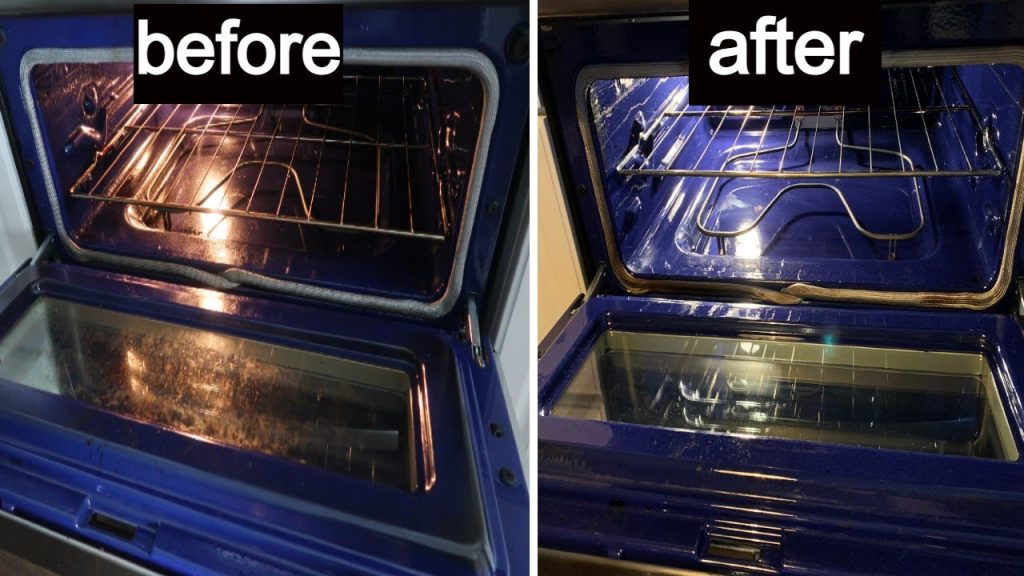
To maintain your LG oven, make sure to clean it regularly and carefully. For light soils, use the EasyClean function.
For tougher stains, use the Self Clean option. LG also recommends cleaning the control panel and racks separately. Keeping your LG oven in good condition is essential for both safety and performance. Not only will regular maintenance ensure that your oven continues to function properly, but it will also extend its lifespan.
Whether you’re a seasoned cook or an occasional baker, learning to properly clean and care for your oven is key. We’ll outline some tips and techniques for maintaining your LG oven, including how to use the EasyClean and Self Clean functions, how to clean the control panel, and more. So, let’s get started!
Lg Oven Cleaning Options
LG offers two options for cleaning their ovens, EasyClean and Self Clean. EasyClean works in three simple steps, while Self Clean is recommended for tougher, baked-on stains. General maintenance and cleaning should be done regularly to keep your LG oven running smoothly.
Maintaining your LG oven is essential to ensure it functions optimally for many years. Proper cleaning is a crucial part of your oven’s maintenance routine. While cleaning your oven may be a daunting task, LG has made it easier by providing two convenient cleaning options. These options include EasyClean and Self-Clean, which are designed to make cleaning your oven a breeze.
EasyClean
EasyClean is a quick and effortless way to clean your LG oven. It is specifically designed to remove minor food spills and stains from the oven interior. The EasyClean cycle lasts for only 20 minutes and uses water and a low-heat setting to dissolve food particles. To use the EasyClean cycle, follow these simple steps:
- 1. Spray the interior of the oven with water.
- 2. Press the EasyClean button for the desired oven cavity.
- 3. Press Start.
Once the cleaning cycle is complete, wipe away any remaining debris with a soft cloth or paper towel. No harsh chemicals or scrubbing is required when using the EasyClean function.
Self-Clean
If your oven has tough, baked-on stains, you might want to use the Self-Clean function. The Self-Clean function uses high heat to burn off food particles in the oven cavity. Keep in mind that using this function releases smoke and strong odors, which can be unpleasant. Here are the steps to follow when using the Self-Clean function:
- 1. Remove all items from the oven, including racks and accessories.
- 2. Wipe away any loose debris from the oven interior.
- 3. Close the oven door and lock it.
- 4. Press the Self-Clean button for the desired oven cavity.
- 5. Set the cleaning time (usually two to three hours).
- 6. Press Start.
Once the Self-Clean cycle is complete, allow the oven to cool down before unlocking the door. Note that the oven will be extremely hot after the Self-Clean cycle ends, and it’s best to avoid using the oven until it has cooled down completely.
Cleaning your LG oven is essential for optimal performance and longevity. The EasyClean and Self-Clean functions make cleaning your oven easier and less time-consuming. Whether you’re removing minor food spills or tough, baked-on stains, LG has got you covered.
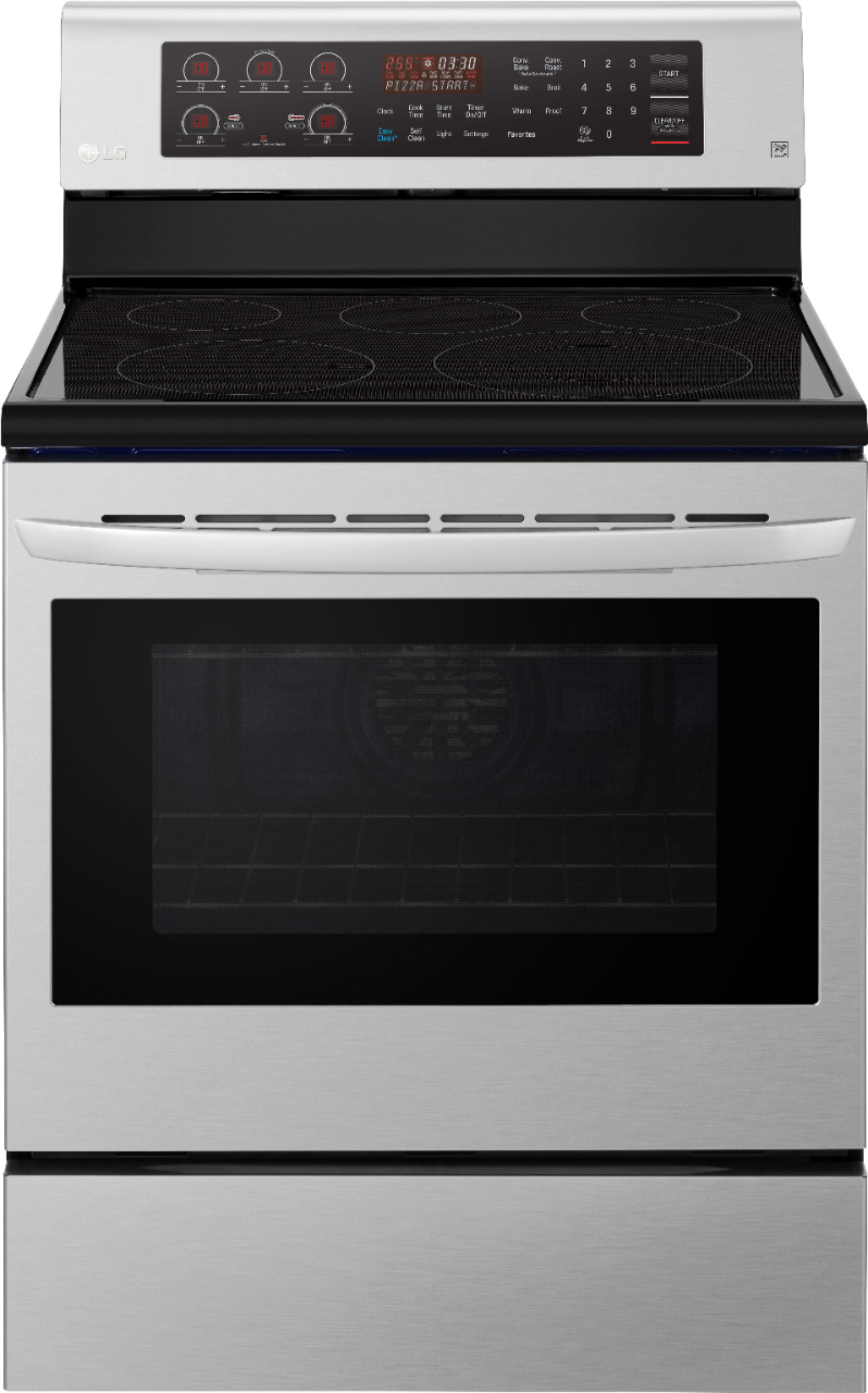
Credit: www.bestbuy.com
How To Use Easyclean
Maintaining your LG oven is essential to ensure it lasts longer. LG’s innovative enamel technology utilizes EasyClean in three simple steps, allowing you to quickly and safely remove light soils. First, spray the interior with water, then select the oven cavity, press Easy Clean and then Start.
If you have heavier soiling, you can use the Self-Clean function. In this section, we will focus on how to use EasyClean for maintaining your LG oven.
Spraying With Water
The first step in using the EasyClean feature is to spray the interior of your LG oven with water. This will help loosen and remove any food debris or grime.
Activating Easyclean
After spraying the oven with water, press the EasyClean button for the selected oven cavity. This will activate the feature and begin the cleaning process.
Scraping Debris
Once the EasyClean feature has been activated, it is important to scrape any remaining food debris or grime using a plastic scraper. Do not use metal scrapers, as they can damage the interior of your oven.
Starting The Cleaning Cycle
After scraping any debris, press the Start button to begin the cleaning cycle. This process will take approximately 20 minutes to complete.
Post-cleaning
Once the cleaning cycle is complete, allow the oven to cool before opening the door. Use a damp cloth to wipe down the interior of the oven and remove any remaining debris.
Wiping Excess Water
If any excess water remains in the oven after cleaning, use a clean, dry cloth to wipe it away.
Troubleshooting
If you encounter any issues with the EasyClean feature, refer to your LG oven manual for troubleshooting tips. If you are still experiencing issues, contact a professional appliance repair service for assistance.
Maintaining your LG oven is important to ensure it lasts for years to come. Using the EasyClean feature is an easy and efficient way to keep your oven clean and functioning properly. By following these steps, you can keep your LG oven in top condition for all your cooking needs.
How To Use Self-clean
Maintaining your LG oven is crucial to its longevity, and one important aspect of maintenance is utilizing the self-clean function. LG’s innovative enamel technology makes it easy in three simple steps: spray water, press Easy Clean or Self Clean, and wipe away excess moisture. Keep your oven looking and working its best with regular cleaning and care.
Maintaining your LG oven is crucial to ensuring it continues running smoothly and efficiently. One of the most important aspects of LG oven maintenance is utilizing the self-clean function. Self-cleaning ovens use high heat to burn off any food residue, grease, and grime, making it easier to clean the oven and maintain its quality. In this post, we’ll go over how to properly use the self-clean function, including important notes, oven cavity prep, setting self-clean, starting the self-clean cycle, and cleaning the racks.
Important Notes
Before starting the self-clean cycle, there are a few important notes to keep in mind. First, remove any plastic or aluminum foil from the oven as it can melt and damage the oven interior. Second, do not use commercial oven cleaners or oven protective coatings inside the oven, as they may damage the oven. Finally, make sure the oven door is completely closed and locked during the cleaning cycle to prevent any accidents.
Oven Cavity Prep
In order to properly use the self-clean function, it’s important to prep the oven cavity beforehand. Start by removing any large debris or loose food particles from the oven. You can also remove the oven racks, which should be cleaned separately. Additionally, wipe down the interior of the oven with a damp cloth to remove any leftover residue or debris.
Setting Self Clean
Once the oven cavity is adequately prepped, it’s time to set the self-clean function. Firstly, remove any racks from the inside of the oven. Next, press the “Self Clean” button on the control panel. Use the “+” and “-” buttons to adjust the cleaning time as needed. Note that the cleaning cycle can take anywhere from three to six hours, depending on the model and level of cleanliness required.
Starting the Self Clean Cycle
After setting the self-clean cycle, it’s important to make sure the oven door is completely closed and locked. Press the “Start” button to begin the cleaning cycle. The oven will automatically lock and the temperature inside will rise to approximately 800 degrees Fahrenheit. During the cleaning cycle, it’s important to avoid opening the oven door as it can release heat and smoke.
After the Self Clean Cycle
Once the cleaning cycle is complete, allow the oven to cool down completely before opening the door. Once the oven is cool, use a damp cloth to wipe down the interior of the oven, removing any remaining debris or residue. Avoid using abrasive cleaners or scrubbers that can damage the oven.
Cleaning Racks
Finally, it’s important to clean the oven racks separately. Soak the racks in warm water and dish soap for about 30 minutes, then use a soft sponge to scrub away any remaining residue. Rinse the racks thoroughly and dry them completely before replacing them in the oven.
Utilizing the self-clean function on your LG oven is an important aspect of oven maintenance. By following these steps, you can keep your oven running smoothly and efficiently for years to come. Remember to always follow important notes, prep the oven cavity, set the self-clean properly, start the self-clean cycle, and clean the racks separately for optimal results.
Credit: www.lowes.com
General Oven Maintenance
Maintaining your LG oven is important for its longevity and performance. LG’s EasyClean technology makes it easy to clean your oven in three simple steps: spray the interior with water, press the EasyClean button, and press start. For tougher stains, use the self-clean option.
Regular maintenance and cleaning will keep your LG oven running smoothly.
It is important to go for a deep cleaning. Just like any other kitchen appliance, your LG oven also requires regular attention to function efficiently and last longer. Investing in the maintenance of your oven can save you from the hassle of repairing or replacing it in the long run. Here in this blog post, we will discuss some of the most important tips for general LG oven maintenance, focusing on three key subheadings: How often to clean your LG oven, Deep cleaning your LG oven, and Cleaning the control panel.
How Often To Clean Your Lg Oven
To keep your LG oven in top condition, it is crucial to clean it regularly. It is recommended to wipe down your oven cavity and control panel once a week to prevent grime buildup. However, how often you need to deep clean your oven largely depends on how frequently you use it and the type of food you cook. Ideally, plan for a deep cleaning session quarterly to keep your LG oven functioning optimally.
Deep Cleaning Your Lg Oven
To deep clean your LG oven, you can either use the self-cleaning function or the easy clean feature. If you are going for self-cleaning, it is essential to know that the oven may smoke and emit odor, so make sure to remove any pets or sensitive objects from your kitchen before starting the cleaning process. On the other hand, EasyClean™ works by spraying the interior of the oven with water. Another effective and safe way to clean your oven is to use baking soda and vinegar. You can mix baking soda and water until it forms a paste then spread it onto the walls of your oven, and leave it overnight. Scrape the sides before using a rag to wipe out the paste. Then use vinegar to clean any bits that remain and ensure that all the cleaning solution is wiped out from your oven.
Cleaning The Control Panel
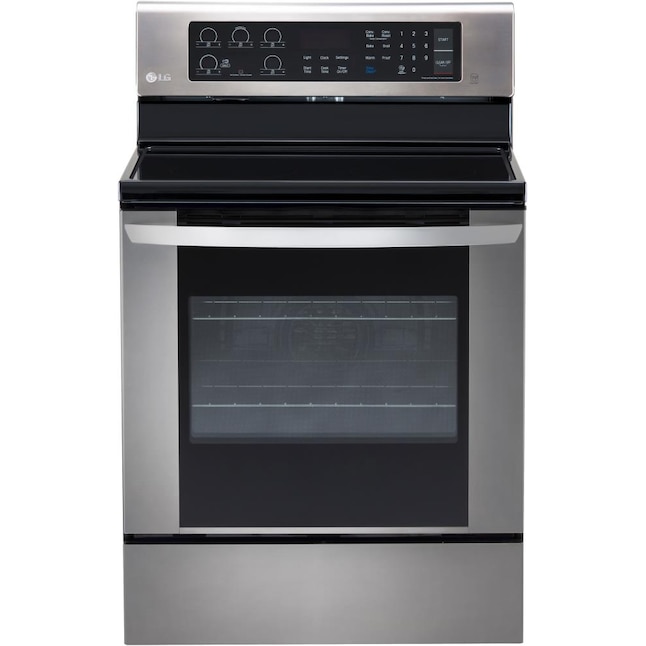
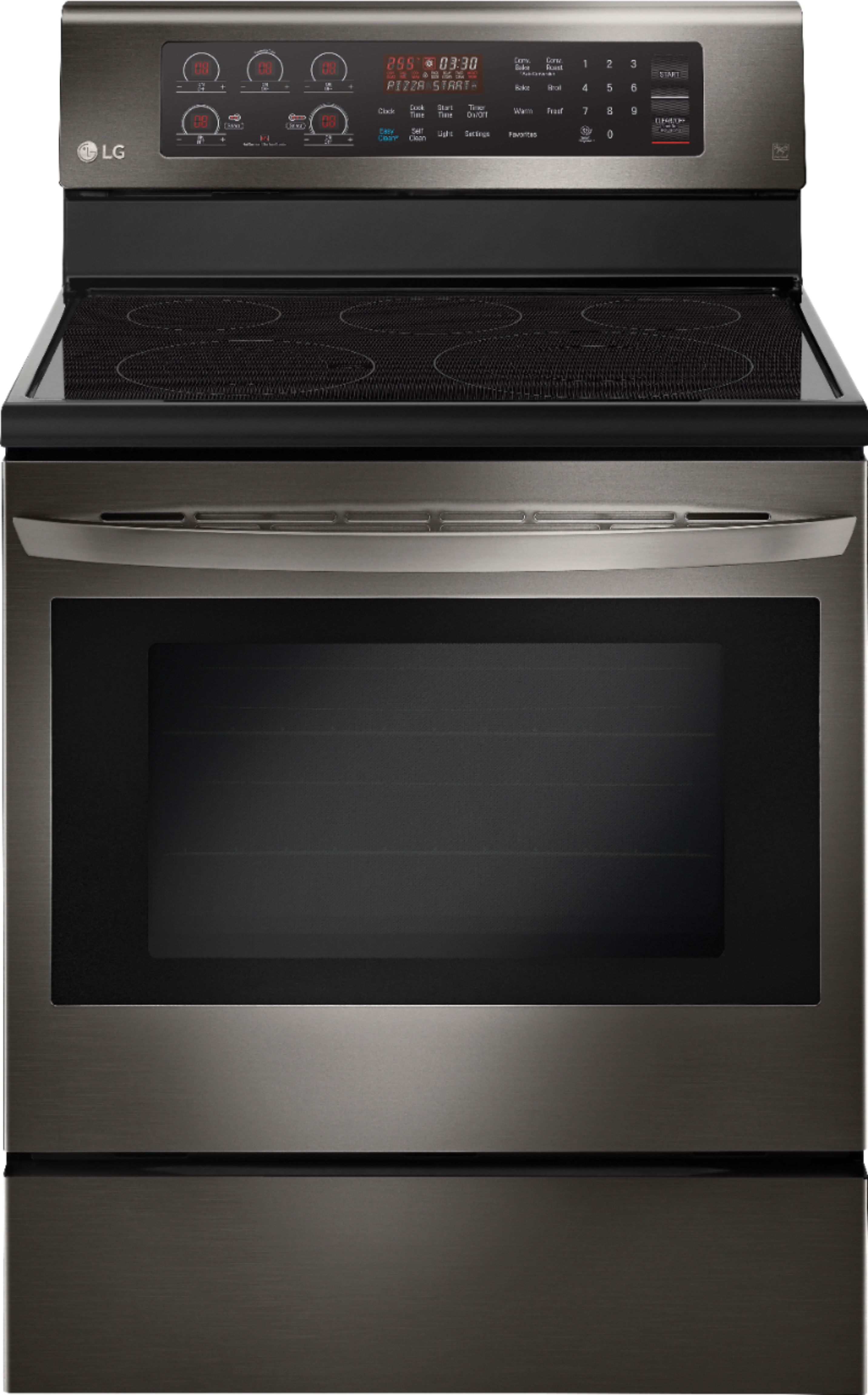
To clean the control panel of your LG oven, you can use a soft, damp cloth or sponge with mild soap and water. Do not spray water directly on the control panel as this may cause damage to the electronics. Ensure that you unplug the oven before you start cleaning the control panel.
Following these general oven maintenance tips can keep your LG oven in top shape, reduce the risk of damage, and increase its lifespan.
Credit: www.bestbuy.com
Frequently Asked Questions Of Lg Oven Maintenance
How Often Should You Clean Your Lg Oven?
To keep your LG oven clean, it is recommended to use the EasyClean feature for light soils and Self Clean for tough baked-on stains. For general maintenance and cleaning, it is suggested to clean the oven every 3-6 months or more often if heavily used.
How Do I Deep Clean My Lg Oven?
To deep clean your LG oven, use LG’s EasyClean feature. Start by spraying the interior with water, then select your oven cavity and press start. For baked-on stains, use the self-clean option. For control panel cleaning, watch LG’s Clean and Care YouTube video.
How Do I Clean The Control Panel On My Lg Stove?
To clean the control panel on your LG stove, use LG’s EasyClean™ enamel technology, which works in three simple steps. Spray the interior of the oven with water, then press the Easy Clean button for the selected oven cavity and press Start.
For tougher baked-on stains, use the Self Clean option.
What Is The Difference Between Easy Clean And Self-clean On An Lg Oven?
EasyClean is used for quickly removing light soils, while Self Clean is recommended for tough baked-on stains on LG ovens. EasyClean works in three simple steps: spray with water, press EasyClean, and start. Availability of EasyClean and Self Clean varies based on your model.
Conclusion
Maintaining your LG oven is crucial for its longevity and optimal performance. By following the manufacturer’s guidelines and regularly cleaning your oven, you can prevent breakdowns and costly repairs. Whether you prefer to use the EasyClean or Self-Clean function, both are effective at removing stains and debris.
Remember to clean the control panel and racks, as well as the interior, for a spotless oven. If you encounter any issues or need a professional repair service, contact the expert technicians in your area to keep your LG oven running smoothly.